
IPTV Player Hub (UK): Smarters vs TiviMate vs Smart IPTV vs Others (Neutral Guide)
An IPTV player is a playback app that loads playlists or login details from a service you already use. It does not provide channels by itself. This UK hub explains how IPTV player apps work, how popular players differ (Smarters vs TiviMate vs Smart IPTV and others), which features matter day-to-day, and how to troubleshoot common issues.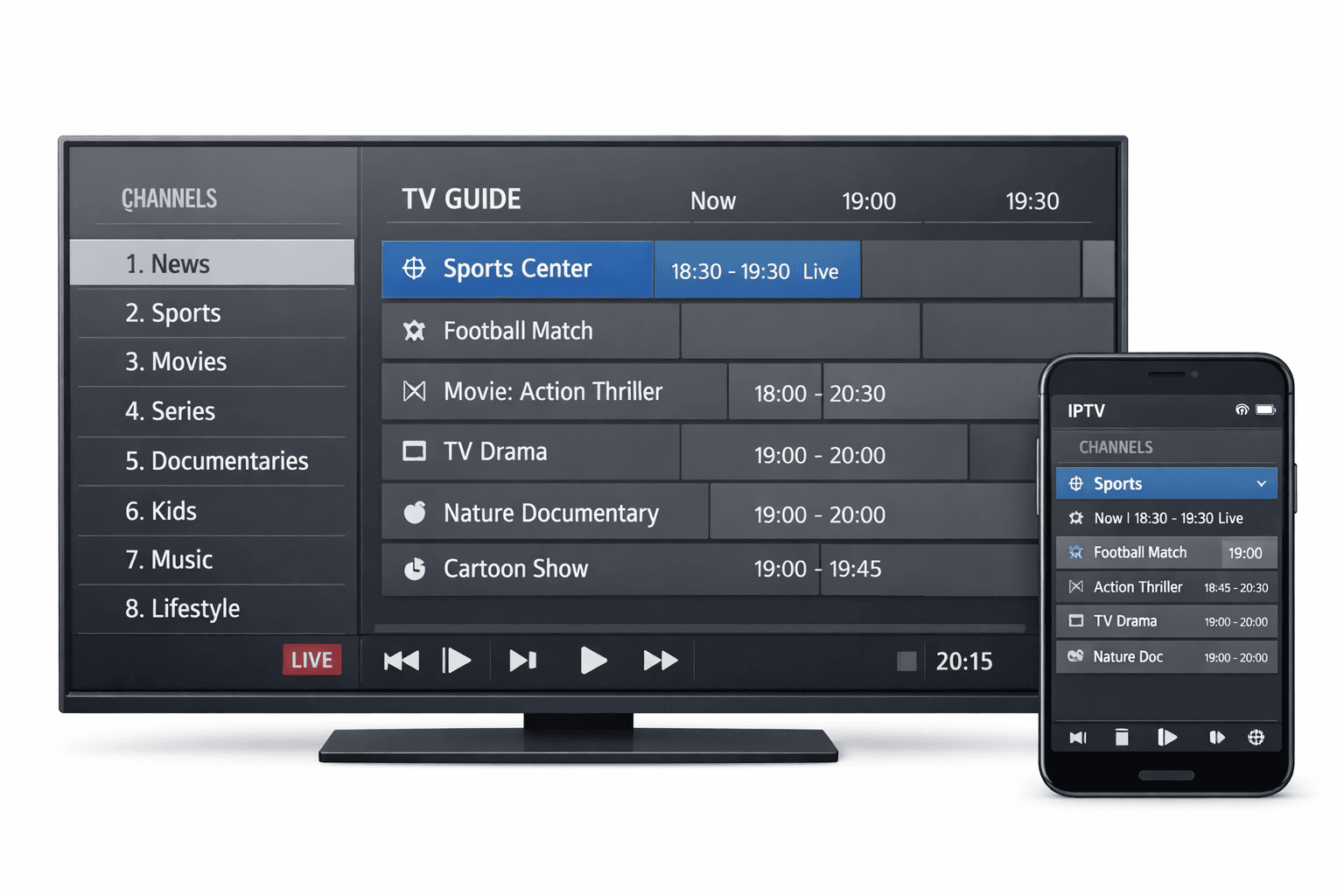
Jump to what you need
📌 What is an IPTV player?
An IPTV player is a software application designed to play TV and video streams delivered over the internet. It works like a “front-end” dashboard: it loads content lists from your IPTV access details, then presents them as categories, channels, on-demand libraries, and sometimes a programme guide (EPG).
What it doesn’t do: an IPTV player typically does not host channels, does not grant rights, and does not magically improve a weak stream source. It’s a playback and organisation tool.
🧭 Smarters vs TiviMate vs Smart IPTV vs Others (at a glance)
This is an educational comparison focused on typical app behaviour and user experience. Exact features can change by platform/version.
| Player | Best for | Platforms | Inputs | Day-to-day strengths | Common pain points |
|---|---|---|---|---|---|
| IPTV Smarters | Beginners + multi-device households | Often on Android/Android TV, iOS, Windows, macOS (varies by edition) | M3U, portal/API-style login (varies) | Simple UI, profiles, multi-screen on supported devices, quick setup flow | Feature availability differs by platform; EPG mapping issues if data is poor |
| TiviMate | Android TV “sofa-first” users who love clean navigation | Primarily Android TV/Google TV | M3U + EPG (and supported logins depending on setup) | Fast TV-style UI, favourites workflow, strong guide experience (with good EPG) | Not ideal if you need iOS/PC parity; heavy playlists can still tax weak devices |
| Smart IPTV | Smart TV owners who want a basic TV-first player | Smart TV app ecosystems (varies by TV brand/region) | Playlist upload/URL + optional EPG (via portal pages) | Remote-friendly, simple viewing model, straightforward once configured | Setup depends on MAC/ID + upload portal; large playlists can slow older TVs |
| Others (generic IPTV players) | People matching a niche device/platform | Wide range | Usually M3U + EPG, sometimes portal logins | Can be great if it fits your device + workflow | Inconsistent UX, updates/support vary, feature claims can be misleading |
🧩 Player profiles (who each app fits)
IPTV Smarters: “multi-device, beginner-friendly”
Best when you want a familiar layout across devices (TV + phone + PC) and a straightforward setup experience. Works well for families who want profiles and quick access to favourites.
- Good “first player” for many households
- Helpful if you switch between TV + mobile
- Usually fine for medium libraries (huge libraries need organisation)
Internal guide: IPTV Smarters Player Guide
TiviMate: “TV-first, clean navigation”
Best when your main device is Android TV/Google TV and you want a fast guide experience with a remote. Most loved by users who want a simple, “cable-like” browsing flow.
- Strong favourites-first daily workflow
- Feels fast when the device is decent
- Shines with good EPG + tidy categories
If you need cross-platform parity (iOS/PC), consider a player that supports those devices too.
Smart IPTV: “smart TV convenience”
Best when you want a basic player on a TV app store and you’re okay using an upload portal for playlists/EPG. Great for simple setups with a lightweight library.
- Remote-friendly, simple menus
- Works best with smaller, clean playlists
- Older TVs may struggle with heavy EPG/logos
Internal checklist: Smart IPTV Setup & Activation Guide
Others: “match the platform”
If you’re on a niche platform (certain TVs, consoles, or locked-down devices), you may need an alternative player. Choose based on input support + stability, not marketing.
- Verify it supports your input type (M3U / portal login)
- Check update history and reviews
- Prioritise safe permissions and clear privacy terms
⭐ Features that matter in real use
In practice, these features create the biggest difference in daily living-room use:
EPG (programme guide)
Helps you browse by time/show. Needs correct timezone and good guide data.
Favourites-first workflow
Build a “Daily 20” list. Makes the player feel fast and reduces menu overload.
Category management
Hide unused categories to reduce clutter and improve speed on low-memory devices.
Search + quick filter
Huge time-saver in big libraries. Often more useful than “extra features”.
Subtitle / audio controls
Useful for accessibility and international content across shared devices.
Backup / restore
Protects your favourites and category setup when reinstalling or switching devices.
✅ How to choose an IPTV player safely (UK checklist)
- Confirm input support: does it support the playlist/login method you actually have?
- Match your main device: TV app vs Android TV box vs stick vs phone vs PC.
- Prioritise daily UX: favourites, EPG, category cleanup, search.
- Think about library size: huge libraries need stronger hardware + better organisation.
- Test peak time: evenings/weekends show real-world performance.
- Check privacy basics: avoid sketchy “converter” sites, keep credentials private.
🛠️ Quick setup & stability checklist (works for most players)
- Start with one input only (one playlist/login). Confirm it loads before adding more.
- Test 5–10 channels across different categories to confirm real playback.
- Add EPG after playback works (EPG problems can look like “player problems”).
- Optimise navigation: hide unused categories, build favourites, keep logos light.
- Do one Ethernet test (even temporarily) to confirm your baseline stability.
- Peak-time test: if it only fails at peak, the issue is more likely upstream capacity.
Need a device-first stability guide? Best for IPTV: device + setup checklist
🧠 Troubleshooting matrix (fast fixes)
| Problem | Most likely cause | Fast fix | Best next test |
|---|---|---|---|
| Playlist/login won’t load | Wrong URL/credentials, expired link, portal down | Re-check input, try in browser, retry later | Test same input on phone/PC |
| Channels list loads, but many won’t play | Upstream instability, geo/ISP blocking, source overload | Test multiple categories; try off-peak | Try hotspot once to isolate ISP/router |
| Only HD/4K buffers | Bandwidth limits or device decoding limits | Ethernet/5GHz Wi-Fi, reduce other downloads | Try lower bitrate stream if available |
| EPG empty or wrong time | Bad guide feed, timezone mismatch, mapping IDs | Refresh EPG, confirm timezone, wait 60–120s | Test another EPG/category |
| Menu is slow | Heavy playlist (logos/groups), low RAM device | Hide categories, reduce logos, trim playlist | Compare performance on a stronger device |
EPG-specific help: IPTV Smarters EPG Guide
❓ FAQ
Does an IPTV player include channels?
Is a “Pro” IPTV player always better?
What’s the most important feature for daily use?
What’s the quickest way to troubleshoot?
🌐 External resources
Neutral, non-provider references (safe outbound linking).
Related internal posts
- IPTV Pro Explained
- IPTV Stream Explained
- IPTV Subscription Guide
- IPTV Smarters Player Guide
- Smart IPTV: Activation & Setup Guide
- IPTV Providers Checklist
Internal links strengthen topical authority while keeping outbound links neutral and low-risk.